Thoughts on a month of iPhone 6 Plus use

How far my thumbs go - iPhone 6 Plus (left) & iPhone 5S (right)

In my iPhone 6 Plus reviews, I've been focusing on the functions. But before wrapping this series up, I'd like to touch on the usability part. There will be a lot of existing iPhone users who's going to contemplate whether the huge screen is worth the risk. While iPhone 6 feels like a slightly enlarged iPhone 5S, 6 Plus is halfway to an iPad, a device that generally needs two hands to properly use.

Unlike an iPad, you can hold an iPhone 6 Plus with one hand just fine. This is due to its thinness and relative lightness. Using it in that manner is another matter, though. As you can see in the photo, the stretched screen of iPhone 5S (compared to 4S and earlier) already put some strain on the user's thumb when reaching the top corners. With iPhone 6 Plus, the thumb can realistically reach only about half of the screen area.

Using Reachability on iPhone 6 Plus to access top corners

So what did Apple do about it? It added a feature called "Reachability" to iPhone 6 series. When you tap (not click) the home button twice quickly, the whole screen slides down half way for a while. This is supposed to let you be able to touch the unreachable area, enabling you to touch anywhere with one hand.

In practice, though, still doesn't fully solve my problem of reaching the opposite top corner with my thumb, where navigation buttons usually reside. This is because the phone became wider as it has become tall. I could temporarily adjust the grip, but that increases the risk of dropping the phone.

Some apps get around this problem by providing the edge dragging gesture for navigating backward and forward. Thanks to this, Apple's default apps like Safari can be used with one hand more or less okay. But there are still a lot of apps that don't support this. So in essence, the Reachability is more of a temporary fix for when you have no choice but to hold the iPhone 6 Plus with one hand. If you can, don't hesitate to hold the phone with two hands. It's much better that way.
Continue reading "Thoughts on a month of iPhone 6 Plus use"

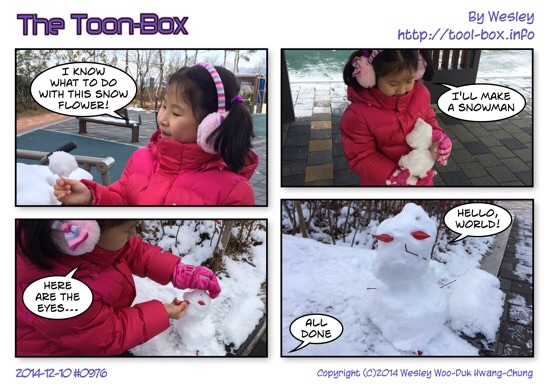
Today's "The Toon-Box"

Defined tags for this entry: , ,

How far does iPhone 6+ & SKT's VoLTE go?

As I mentioned in the previous VoLTE post, all three major mobile carriers in Korea have been supporting VoLTE for quite some time now. One glaring problem, though, is that cross-carrier VoLTE still hasn't been realized, despite years of negotiations. This seem to have introduced some confusion. The truth is that a device can always request a VoLTE call, but it's up to the network to decide to go with it, and if so, fully or just on the surface.

In the case of LGU+, the carrier's aging "2G" CDMA network had been a weak point, so it worked hard to have everything done on LTE, even voice. That's why it'll accept a phone that can do VoLTE even if it doesn't support the needed CDMA frequency band - namely, the iPhone 6 series. ( One caveat is that they are not accepted for registration on the network yet until official Korean debut. This is largely a decision of policy, not technicality. ) If you have such a phone, all calls will be connected as VoLTE no matter what.

But in case of SK Telecom (SKT) or KT, their "3G" WCDMA networks are still widely used. So they don't have the urge to go fully LTE. A call could still be made on either 3G or LTE, depending on the situation. No handsets on these networks get to make all of its calls on VoLTE.

Since I'm on SKT, I made calls to various phone numbers on my VoLTE phone, iPhone 6 Plus, to see how they end up connecting, and what quality they were.

Case Caller 1 Caller 2 Connect 1 Connect 2 Quality
1 SKT VoLTE SKT VoLTE LTE LTE HD Voice
2 SKT VoLTE SKT 3G (AMR-WB) LTE 3G HD Voice
3 SKT VoLTE SKT 2G/3G LTE 2G/3G Normal
4 SKT VoLTE KT / LGU+ VoLTE LTE LTE Normal
5 SKT VoLTE KT / LGU+ 2G/3G LTE 2G/3G Normal
6 SKT VoLTE Landline (02 ~ 064) LTE Landline Normal
7 SKT VoLTE Toll Free (080) LTE Landline Normal
8 SKT VoLTE Special (15xx, 3-digit) 3G Landline Normal
9 SKT VoLTE VoIP (070) 3G Internet Normal

As of this writing, two types of phones on the SKT network, the VoLTE-enabled phones (case 1) and the AMR-WB supported phones without VoLTE (case 2), can make end-to-end HD Voice-quality calls to and from iPhone 6 Plus. AMR-WB codec is the same codec used by VoLTE, but some phones support this only on 3G at a lower bitrate, e.g. iPhone 5 and Xperia Ray.

As mentioned earlier, cross-carrier VoLTE agreements are not yet in place, so calling VoLTE phones on other networks (case 4) ends up degrading quality. I'm hoping this clears up soon because there's no technical reason to be like this.

Meanwhile, most calls connect via LTE, with the exception of special numbers such as the three-digit numbers (including emergency) and the 15xx, 16xx numbers that companies use (case 8), as well as the VoIP numbers with the 070 area code (case 9). I understand that these numbers don't connect with high-quality codecs so LTE connection isn't necessary, but it doesn't explain why regular landline connections do connect via LTE.

October 2014 Total Lunar Eclipse

Lunar eclipse progress in 8-minute intervals

Lunar eclipses happen every year, so it's not particularly rare. But they're not always total eclipses. In fact, the last total lunar eclipse in Korea happened in 2011. So this time around, I got myself fully ready to take some nice photos of the event with my superzoom camera, Canon SX50 HS.

On October 8, the Moon was to rise from due east on 17:59 and the eclipse was to start right after at 18:14, but the building next to my workplace was blocking the view. So after the work hours were over, I headed to a nearby overpass and set up my tripod near the center. I was able to start seeing the Moon getting behind the Earth's shadow, but just as I started taking the photos, heavy clouds started to block the view. It was frustrating, but I waited out.
Continue reading "October 2014 Total Lunar Eclipse"

Today's "The Toon-Box"

Defined tags for this entry: , , , ,

Copyright (C) 1996-2026 Woo-Duk Chung (Wesley Woo-Duk Hwang-Chung). All rights reserved.