Making of the Portable Athlon (6/10)


One of Dad's friend runs a synthetics company that makes all sorts of things from sign boards to commemoration plaques. He told me that this should be a suitable place to make the case I designed, and made an appointment to do so on the 17th. I showed my dad's friend the design, and he noted that some 5mm-thick acrylic boards should be used so that it wouldn't become brittle. He chose a white board for the bottom and some transparent boards for the rest of the sides so that it would become see-through. I thought it was a wise decision to do, as a see-through design is cool to look at(yes, I was impressed with an iMac).
Bottom Panel is Made
Instead of using my measurements though, he marked the places to cut out or drill as he put the parts upon the board. Maybe I shouldn't have spent the whole night measuring and recording... After about 4 hours of work, the case was near completion. The speaker wire fell off as it was getting attached, but the problem was quickly solved with some passes of soldering iron.
Hard at Work
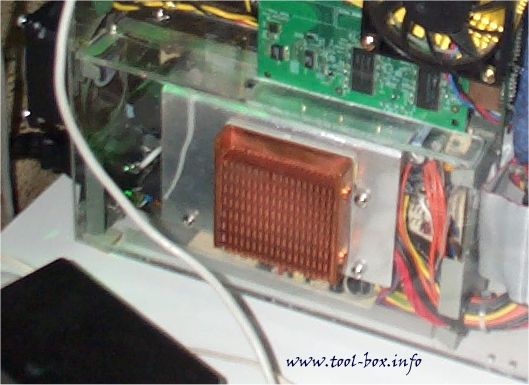
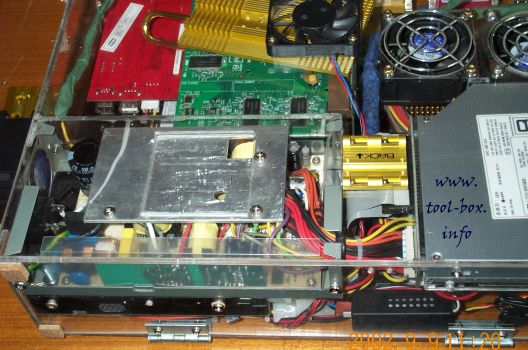
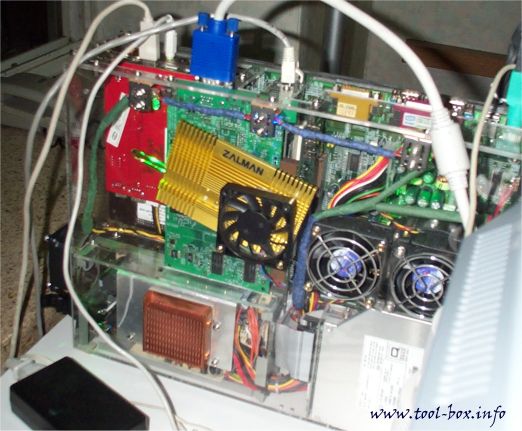
After the top transparent part was completed, the necessary parts such as the power supply and the hard disk was attached on it, and everything was connected as it should. There was a bit of trouble closing the case as so many components are cramped into such a small area, but after a bit of shifting wires around, it was successful; the design worked and everything did go in. The four bolts that binds the upper and lower parts were fastened and all was done. The portable Athlon became a reality. Here's the commemorative photo shoot below, with the maker and the designer. Yes, that's me on the right.
The first photo of the completed case, with the maker and the designer
Some photos of the case coming up...

Making of the Portable Athlon (5/10)


A slight problem hit me at this point. The Duron CPU that my friend and fellow discussion board moderator at MadOnion.com, M.Pierce had problems sending the Duron and was not going to be ready till March. Since the other parts had already been prepared and the case making was scheduled for February 17th, I couldn't wait for this and decided to change the initial plan. Despite the huge power consumption, I pulled out the T-bird 750 in my main system and put it into this. And so the portable Duron project took a turn and became the portable Athlon (T-bird) project.

I hesitated on this a bit because, like many of you who used an original 'classic' Athlon, the power consumption of the CPU supposedly brought down most low quality 250W power supply and needed a good 300W one. This belief generally holds to this day, and AMD CPU users generally opt for 300W PSU most of the time. My 235W Enermax power supply shivered before my classic Athlon 650, and had replaced it with a 300W Seventeam one ever since, for example. The power supply used for this project was 150W, as mentioned before, and if past experiences are any indication, it would fizzle upon boot as the T-bird sucks out at least half of the total power. Since the 3.3V + 5V rail maximum output is rated at 80W, and CPU's 1.7V power is derived from this rail, it would be pretty much hitting the maximum right off the bat, with hardly a room to spare for other components. However, throwing out the PSU meant throwing out the whole project, so I took the risk.

It runs! 

It installs Windows 2000!

I tried to be conservative, as lot of money had already been put into this and don't want the whole thing to blow up in a smoke. Thus, I underclocked the t-bird to 500MHz and connected everything except the hard disk. Hard disk is a mechanical device by nature, and the motor is bound to pull some power off, so it was excluded at first. I used the Flatron monitor I had hooked up to my main system so that I could see how thing went. I took a deep breath and push the power button.

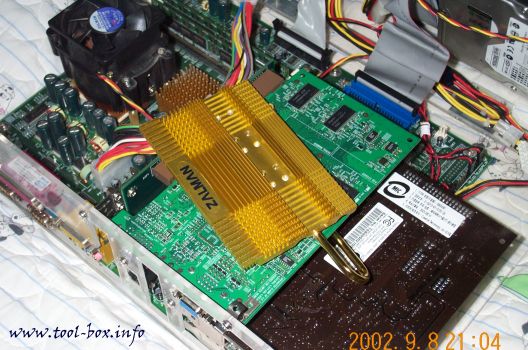
And it booted! No signs of troubles were present, and all things seemed to work fine. I went to BIOS setup and watched how the power supply voltage rails and CPU temperatures were doing. I noticed that 12V rail was about 4% higher than normal, but other things looked okay. The CPU was doing mid-40's (in celcius) so I could see that the aluminum flower cooler wasn't doing very great when it is used with a 60mm fan. It was to be replaced with the gold-plated copper one for better cooling.

Seeing that the first trial run went without troubles, I attached the hard disk and a DVD-ROM drive. The DVD-ROM drive was not to be included in the system, but for the purpose of simulating the optical drive I was planning to buy for the system later on. Anyhow, the second run also booted fine. Therefore, I partitioned and formatted the hard disk, then installed Windows 2000 on it. Windows setup will encounter troubles if there was an incompatibility of the components or if a certain component was not performing stably, but the setup went pretty well, so I concluded that the configuration was okay.

That being confirmed, my overclocker's habit kicked in and tried the 1.1GHz setting I was using for the T-bird before. The PSU got a bit hotter, but nothing broke. It was good to know that the system ran without a hitch in such power-consuming settings, too. However, the CPU temperature was approaching uncomfortable levels. After the second run, the cooler was switched. The next day, this system would get a house to settle in.

Making of the Portable Athlon (4/10)


To keep up with the portability theme, the good old 106-key Windows standard keyboard (this is the case for Korean keyboards; one key for English-Korean conversion and one key for Korean-Chinese conversion are added to the default US keyboard layout)was not to be used. If you've ever used a notebook computer and complained about the tight keyboard it has, you know how huge a normal keyboard can get. Those 'natural' keyboards with twisted key arrangements or those wacky 'internet' keyboards with superfluous buttons are even bigger. BTC was selling some 'specialty' keyboards such as mini-keyboards and wireless keyboards, so I got myself the mini-keyboard from them. Not surprisingly, this keyboard's characteristics were remarkably similar to that of a keyboard integrated in a notebook, and the Logitech TrackMan portable trackball I've been using with my old 486 notebook (not the one pictured in the first page, though) clamped perfectly to the side of the keyboard.

Then it occured to me that, in order to make a computer case, I needed some LEDs and buttons and the dinky beeper-speaker. Since these come standard when you buy a computer case, I never gave much thought to them, but now that I'm the one making the case, I needed to supply these on my own. Fortunately, the Yongsan electronics market is chock full of all computer parts, and I effortlessly obtained the necessary parts from a store that sells computer cases as 'replacement' parts for a couple of bucks.

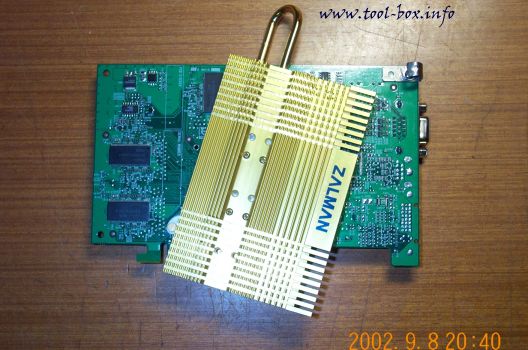
For the heatsink, I bought a Zalman CNPS2005 flower heatsink, as a website was doing a group purchase on these coolers and got it on a good deal. However, I couldn't use the 80mm fan that came with it because it would be too large; I pulled out a 60mm fan I keep for testing for use with it. The Duron CPU has not been arrived at the time of the photo, so my t-bird CPU was shown instead.
Keyboard, Mouse, CPU, etc.
With most parts pretty much on my hands, I needed to revise my original thoughts of the casing with actual measurements and positioning. Though the measurement I had did not differ significantly, the positioning of the components revealed that my initial design had some flaws. Also, my dad hinted that my design was rather complex, and told me to make it as simple as possible so that it won't be so difficult to make or become fragile. His words were to be taken seriously, as he's an engineer. I took my original design and simplified it so that it could be made from just six panels, not the original eight. Then I somehow needed to visualize my design. I needed a CAD program. I downloaded a freeware CAD program from the web, took a 30-minute crash-course on using it with the internal tutorial, and came up with this.
The revised case design
Would this design survive? We'll see...

Making of the Portable Athlon (3/10)


With the basic component decisions made, I then went onto buying the parts needed. I initially wanted to get a motherboard with DDR-SDRAM support, but they were rare, and the DDR SDRAM themselves were even rarer, which is something I hated because my country makes 1/3 of world's memory chips and probably half of that is made from that Samsung factory a few miles away from my dormitory. I heard most are immediately shipped to United States. Anyhow, with DDR out of question, I looked into getting a KT133A chipset motherboard, as these boards were reported to put out admirable performance compared to DDR counterparts due to the support 133MHz FSB, which was officially missing in other Athlon chipsets.

Having enjoyed some good Asus boards lately, my first consideration was A7V133. Alas, it was carrying a hefty price tag. Then I saw a website planning to do a group purchase (and thus cheaper compared to buying normally) on Abit K7TA, another well reviewed board. I was highly anticipating this, but the purchase was cancelled due to local distributor's supply problem. Frustrated, I searched for any KT133A boards that could fit my bill. It was then I found Soltek's SL-75KAV. I was never much of a fan of Soltek, but I didn't have much against them either, so I bit the bullet and ordered it online.
Soltek SL-75KAV
Looking at the motherboard, I could see that I needed a power supply that would somehow have to fit within the board without making the case thick. This is impossible with a normal ATX power supply, so I needed something different. Most of the places only sold the normal ATX versions, but Seventeam's Korean distributor was selling lots of different power supplies online. I browsed through the list and found just the thing I need; the slender micro-NLX power supply. It's longer, but also much thinner and narrow. It would fit perfectly over the expansion card slots, which would never be used. The only problem was that their most powerful version, ST-150SL, had maximum output of 150W, far below what would be normally considered for an Athlon-type system. Still, I didn't have much choice; I clicked on the order button.
Seventeam ST-150SL
SL-75KAV motherboard's design brought me some luck. There was enough space for a 3.5" hard disk on either the expansion slot area or over the RAM slot area. Since the power supply was to take the expansion slot area, the hard disk was to be placed over the RAM's, right next to the CPU. IDE cable doesn't have to be twisted or take a long trip, so the location seemed to be good enough. What with the money I have, I bought a 30GB version of the IBM Deskstar 75GXP model, one of the highest performing ATA100-compliant drives that was on the market at the time. It's still a good performer as of the time of the writing.

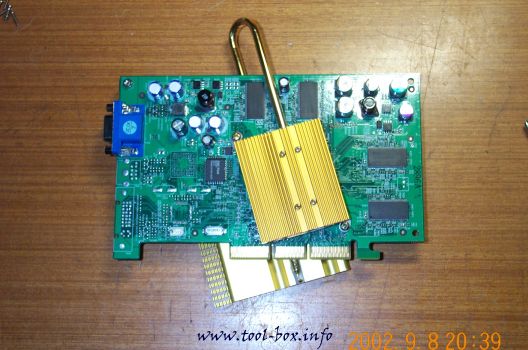
Yet another luck I had was that there were indeed some slim video card that didn't use an outdated chipset. LEOTEC's line of GeForce2 MX cards were one of these. They follow the reference design, but did not use the upper vacent space for putting words like 'GeForce2 MX' across and instead just cut it off entirely, possibly for saving costs. They just put that identification in a form of a sticker and put it on the RAM. The cost-saving part was pretty valid, as they were one of the cheapest MX card I could buy. They did have a 5.5ns rated RAM, so they didn't skimp on the actual parts inside. I was happily surprised that this RAM could be clocked up to 248MHz (almost 4ns) easily without any modifications.

To make some room for the hard disk to be placed over the RAM, I went on to look for some 'slim' RAMs. KingMax RAMs are such an example, as the chips used in the module are made in the form of Small Ball Grid Array chips, making the module up to 1cm shorter than other modules. A 128MB PC150 version was on sale and I got myself one of these.
RAM, video card, and hard disk
Of course, this doesn't end here...

Making of the Portable Athlon (2/10)


Though in the coming months it may become different, 'Athlon' of today and 'Portable' are some sort of oxymoron. The T-bird Athlon's maximum power dissipation is already around 70W, comparable to an ordinary light bulb. Actual power consumption is higher than that. This is is a bit too much, even for a desktop system, considering high-end CPU's of half a decade ago usually consumed 1/10th of this. T-bird is arguably one of the fastest desktop PC CPU's, but it certainly shows this was done in a very 'brute force' manner. Some 'mobile' Duron notebooks have come out, but we know that it's just our usual Durons that've been underclocked and under-voltaged. Its power consumption is still more than twice that of a competing product. 'Palomino' revision of Athlons, which promise to consume far less energy while delivering more computing power, may change all this, but I couldn't sit around waiting for this chip, and I think it was relevant, considering the release of this CPU has been pushed back already somewhat.

You might be thinking at this point, 'then why don't you just use an Intel CPU, which consumes less power yet performing similar to AMD chips?' This was because my main systems were already using AMD platform, as apparent in my other articles. I needed to buy parts as I made money, using parts from my original system in the mean time. Going straight to Intel platform was not viable. Therefore, I decided to use the Duron as the CPU. They perform nicely and don't consume power as much as T-birds.

Duron it is..


On to other things, I planned to use as much normal desktop components as possible to ensure best performance. However, to make the system portable, the casing had to be kept low-profile. One of the biggest thing that hinders this is the card in the expansion slot. Most of these could be replaced with external versions, but video card cannot. So the on-board video had to be considered. But this thought was thrown out almost immediately; I'd rather buy a notebook with Rage Mobility video chip than on-board video, and motherboards with on-board video for AMD platform was nearly non-existent in Korea at the time. The video card had to be kept in somehow, just as I chose a Duron for CPU despite the power consumption. Besides, if I wanted a unit with on-board video, there are already some low-profile systems, even a bare-bone one that I can equip with components of my choice, that utilize this sort of motherboards inside. I would have no point in making this. I had to find a video card that isn't so tall.

Another thing that had me rolling in my bed for another day was the hard disk. The big question was wheter I should use a 2.5" notebook hard disk or a normal 3.5" hard disk. This had to be thought of carefully because a 3.5" hard disk is about 1/4 of the size of a normal motherboard. You might think this isn't so large, but considering the fact that I have to cramp it in somewhere that won't interfere with a power supply, a CPU, or a video card meant that it would be a real tough job. Since you can fit 4 of those 2.5" hard disks into an area that a 3.5" counterpart takes up, it seemed to be a better solution. But there are obvious setbacks: they are expensive, slow, and small in capacity. I also needed a converter so I could plug it with a normal IDE cable. I decided that I would think of this one as I go along because a slight design change would make all the difference.

Don't be bored yet, guys. There are still more to come...

Copyright (C) 1996-2026 Woo-Duk Chung (Wesley Woo-Duk Hwang-Chung). All rights reserved.