Snow Leopard's NTFS read/write support

I CAN HAS WRAIT SUPPORT?

There had been mentions of Snow Leopard (Mac OS X 10.6) pre-release builds supporting read/write support for NTFS (native file system for current Windows versions). Read-only NTFS support was available since Tiger (10.4) days, so this was an interesting development. Unfortunately, read/write support was apparently dropped in the final release build of SL.

It turns out the support is still there, but disabled by default. This post by Chrysaor at MacRumors shows how to modify fstab to force an NTFS partition to mount in read/write mode. The drawback of this trick is that you have to manually do it to every partition you want to mount, and you need to unmount and remount the partition after applying the trick to get it to work. Hardly elegant, mind you.

Luckily, there is a much simpler and elegant way. Click below to find out.
Continue reading "Snow Leopard's NTFS read/write support"

Snow Leopard testing in progress

I've gotten Snow Leopard on the server a week ahead of schedule. Yes, this website is running on Snow Leopard right now. My wife is expecting the baby in a couple of weeks, so I decided to get on with any time-consuming stuff early. The website seems to be running okay, so far...

Snow Leopard is here, but...

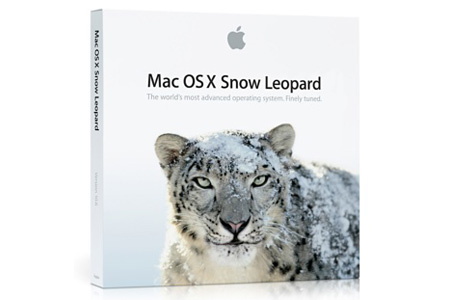
Snow Leopard retail box. Growl...

Bringing newest development in the age-old war of the operating systems, Mac OS X 10.6, better known as Snow Leopard, came out last Friday, almost 2 months before Microsoft Windows 7 officially hits the shelves.

I've already gotten my hands on Windows 7 via TechNet+ subscription, and a copy has been happily running on the main laptop at home for about 2 weeks now. So it is natural that I would like to jump into Snow Leopard as soon as possible to see what improvements this release brings to my iMac. But since the iMac is a mission-critical system, I compiled a list of compatibility for the Mac software I have, using Snow Leopard Compatibility List at Wikidot as the primary source and then checking the developer's website to double-check.

Of the 100 software (the round number is purely coincidental):

Compatible - 54
In Progress - 6
Incompatible - 11
Unknown - 29

I'm expecting at least half of the 'unknown' ones to be compatible, so that's about 70% compatiblity right at the release time. The problem has to do with the 11 incompatible ones. Half of these software are being used daily, and I consider them to be rather important. So they need to be made compatible before I make the big move.

In conclusion, I'm holding off the transition for about two weeks until the dust is settled. Sigh...

Stubborn stuff slows server swap

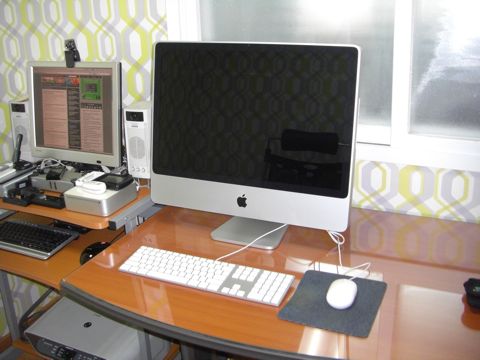
The old (Mac mini) and the new (iMac)

With marriage, I moved into the new home. This meant moving everything out, including the servers. However, I was not sure of the quality of internet connection that the new place would provide, so I relocated the KT line (fiberoptic-to-ethernet 100Mbps line) first, and along with it, the Intel Mac mini which hosts XiGL.net on early April. Hanaro line (same quality as KT line) and its accompanying G4 Mac mini which hosts Tool-Box.info would be left behind for the time being.

It turns out that KT did not provide the 100Mbps connection at the new home, but only the traditional 30Mbps VDSL line. This persisted for several months and I did not see any sign of them upgrading to 100Mbps fiberoptic, all the while the competitors Hanaro and LG Powercomm were both providing 100Mbps line services of their own since at least May. My patience ran out, leading me to call Hanaro Telecom to relocate my connection. This would also mean that Tool-Box.info server would be moved to the new home as well.

Had I simply moved the old G4 box, the relocation would have been simple. But I decided to use this opportunity to replace the server hardware outright. That's when the trouble began.
Continue reading "Stubborn stuff slows server swap"

Optimus mini three + iRocks KR-6600

The keys to my Mac

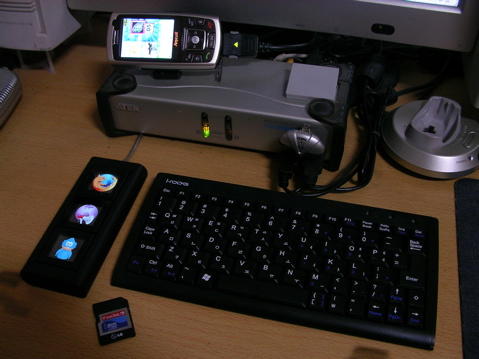
I've been using an interesting combo of input devices lately. Namely, Art Lebedev Studio's Optimus mini three keyboard (left) and I-ROCKS' KR-6600 'nano slim' keyboard. The two keyboards are relatively unique in that the mini three is the first keyboard to implement OLED displays for the keys, and that the KR-6600 is probably the smallest 'full set' keyboard you'll find on the market. It's barely bigger than the Half Keyboard I used for my wearable computer back in the old days.
Continue reading "Optimus mini three + iRocks KR-6600"

Copyright (C) 1996-2026 Woo-Duk Chung (Wesley Woo-Duk Hwang-Chung). All rights reserved.