Carrying the Portable Athlon (2/2)

Keyboard finds its place
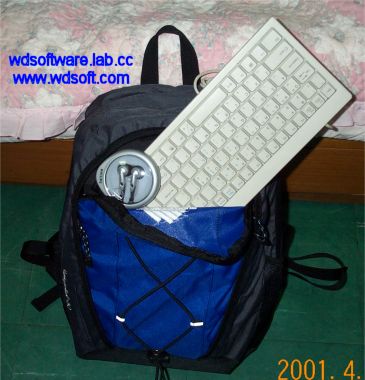
Of course there is! The backpack features additional storage space on the front and I can put the keyboard into this area easily. The earphone case would rattle if I placed it in the main compartment, so it's put in with the keyboard to prevent noise.
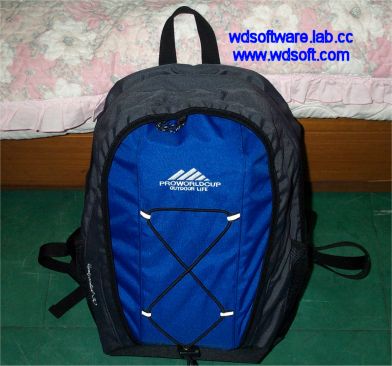
All Packed!
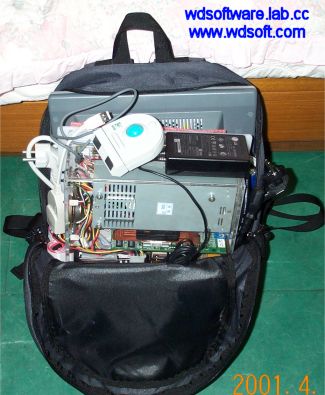
The system is fully in the backpack now!

Carrying Around
That's me with the backpack. Now I can go anywhere with my system in the back. Due to the concealing nature of the backpack, though, most people thinks I'm going camping or something. :-)

Yet another thing to consider. How much does it really weigh, anyway? I didn't know this exactly myself, as I didn't have a chance to do an accurate measurement. I just felt that carrying around this was a bit heavy, but bearable. Fortunately, I encountered a digital bathroom scale accurate up to 50g which was deemed suitable for answering the big question.
Component kg Lbs.
System Case 4.60 10.14
LCD Panel 2.90 6.39
Keyboard 0.45 0.99
Mouse 0.15 0.33
USB LAN + Earphones 0.05 0.11
Cables 0.90 1.98
Backpack 0.65 1.43
TOTAL 9.70 21.4

While modern notebook computers weigh in at around 2 to 4kg, my portable system isn't throwing around extremely lot of weight either. In fact, it's lighter than world's first portable computer, 'Osbourne 1' from 1981, which weighed 24 pounds(11kg) and came in a luggage. So, I hope your questions are answered now. I'm off to study for some exams next week.
Carrying the Portable Athlon (1/2)


Here's a short followup on how my Portable Athlon System is supposed to be carried. I've shown you how it looks like when it's in fully assembled manner, but you might have wondered or questioned if it was really that 'portable', not just a novelty item meant to impress people and just sit pretty. I had the occasion to bring my system to a certain magazine company for showing, and I took some time to take some photos on how my system is packed and carried.
Ready to Pack
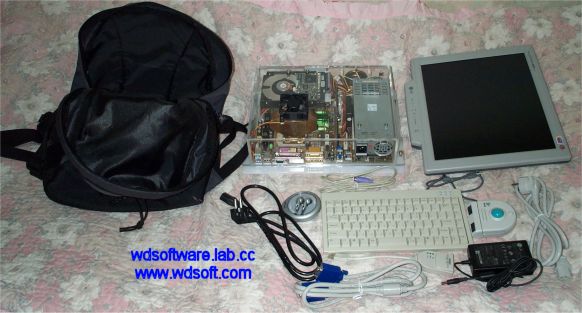
Here you see my system fully disassembled and be ready to move. Notice I have a backpack prepared for the sole purpose of carrying my system around. Instead of carrying the bulky speakers, though, I bring a pair of Philips earphones instead in order to take some load off the whole thing. You can see the earphones on the left of the mini-keyboard, in its carrying case. Other things to note are the AC/DC converter for the flat panel and some cables. With this, I can use my computer anywhere with an AC power outlet after unpacking and reassembling.
Half-Packed
The flat panel sits on the back side of the bag, so that the cushion protects the delicate LCD. The system case is slid in front of the panel, and I usually place a foam sheet in between so that the hook and other stuff don't scratch each other off. The cables are stuff into the vacant space at the each side of the bag. To top off, the trackball and the converter gets the upper level. But there doesn't seem to be enough room for the keyboard...?

Making of the Portable Athlon (10/10)


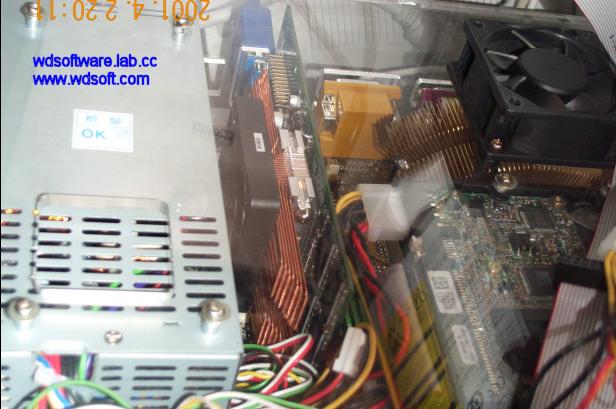
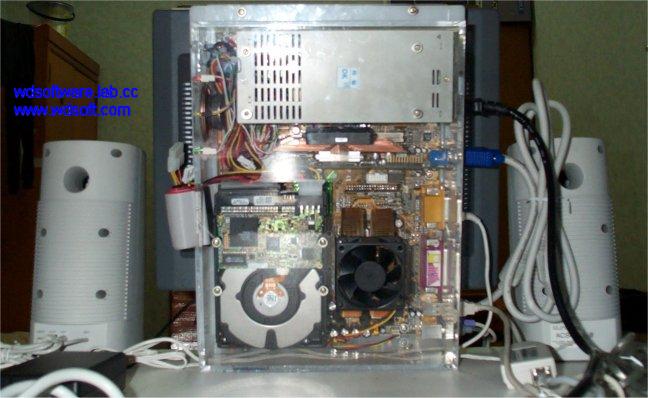
You would have noticed that the innards of the system has indeed changed since the initial photo shoot. To show you this more closely, I've taken a more close up picture.
The complete WDS-APX-0, close up
You can see how the copper flower cooler for the video card is attached, as well as the new fan that's cooling the CPU. Also, to prevent overheating of the PSU, a hole has been made over the vent holes. Some of the careful observers may point out that the wirings are a bit more organized, too.
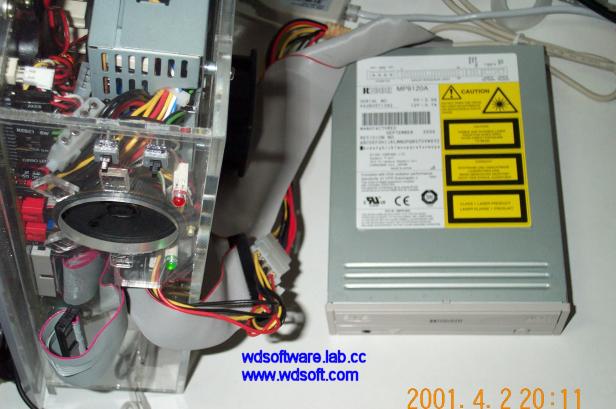
The complete WDS-APX-0, with the RICOH burner
Here's how the RICOH burner gets attached to the system when I need to access optical discs or do some burning. The rolled IDE cable can easily extend out to accomodate the drive, and the drive has a power cable extension so that it can get powered.

Well, that's it for now. I may update this with pictures of me actually carrying the system in a bag or doing other stuff with it. But it's already close to 4AM as I'm finishing this up and I need some sleep. Yawn... Why is it that I always finish my articles when it's past my bed time? Argh...

Making of the Portable Athlon (9/10)


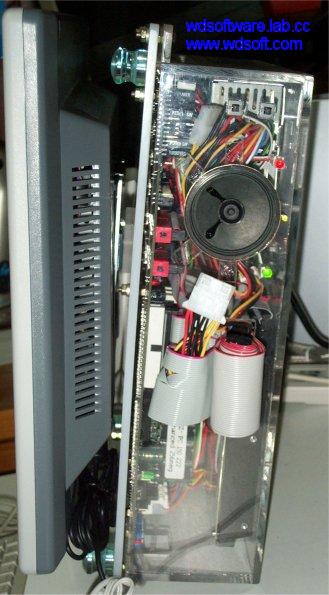
Of course! Attach it on the case itself! I had initially thought of attaching the panel in such way that it would completely overlap the case's bottom area. However, it would make matters complicated, as buttons or cables stick out of the broad side of the case, making it difficult to position it upright without separate support. The panel would not have good eye-level, either. So I chose a position that made the case stand taller.

If a panel was to be attached at such position though, total width of the system would inevitably get longer, so I need to detach the panel and turn it around when I was to carry the system around. Therefore, a hook was made and screwed on the panel, and an attacher from the stand was taken off and put on the case's bottom. Having done this, the panel could be easily attached and detached, yet be firmly seated while in use. Luckily, the weight of the panel and the system are pretty much on par and balance out perfectly, so I did not need a separate support.
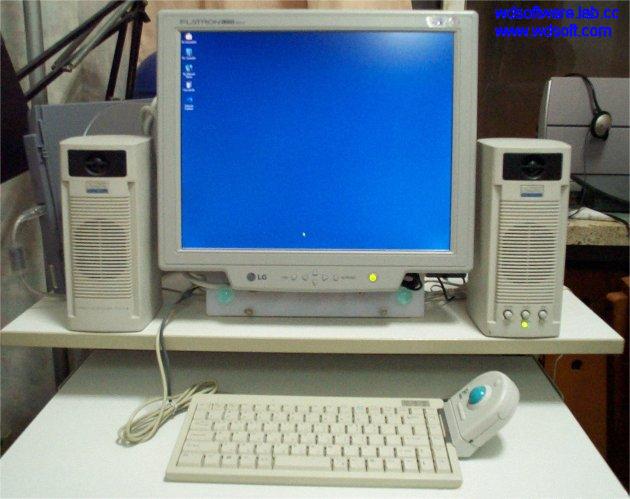
The complete WDS-APX-0, side view The complete WDS-APX-0, front view The complete WDS-APX-0, back view
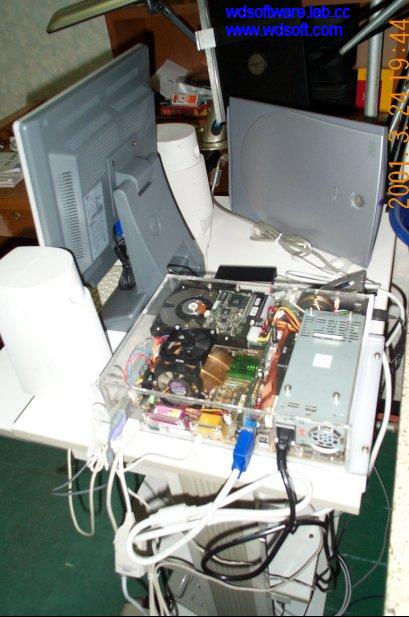
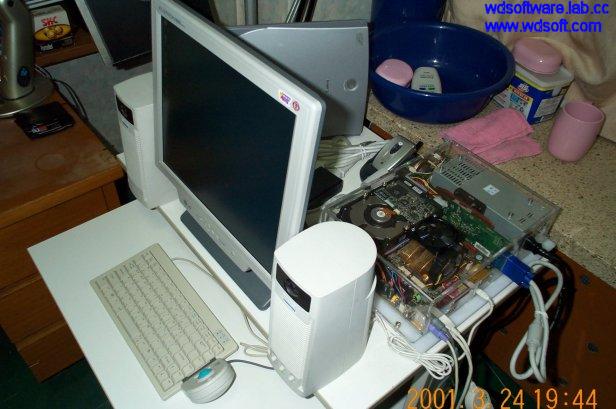
These pictures should show how the system looks like in general. You can see how the whole system is nicely hidden behind the flat panel. To help understand how the panel was attached, and how much space was saved by doing this, look at the pictures below.
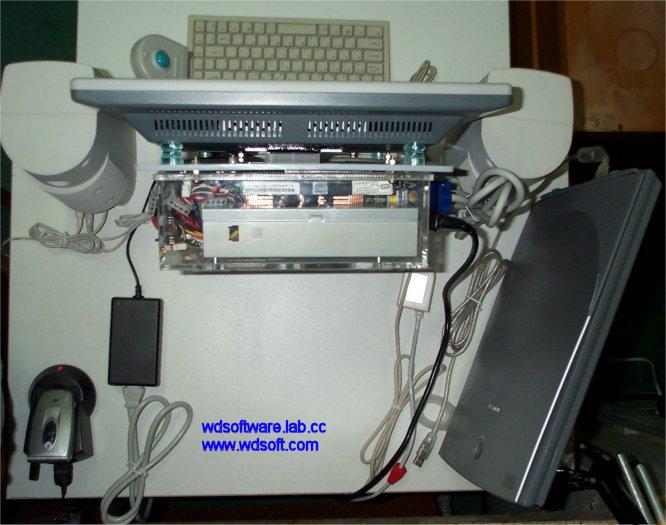
WDS-APX-0's Panel and the System The complete WDS-APX-0, aerial view
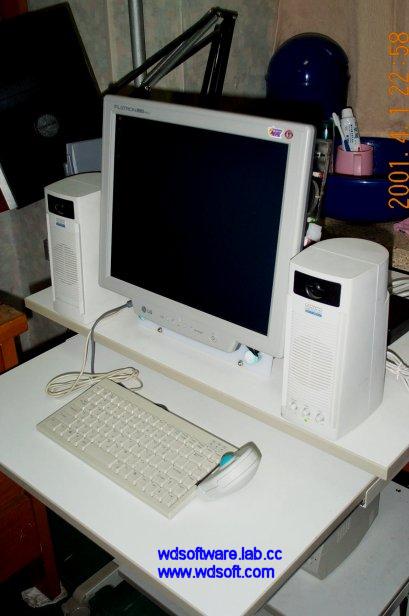
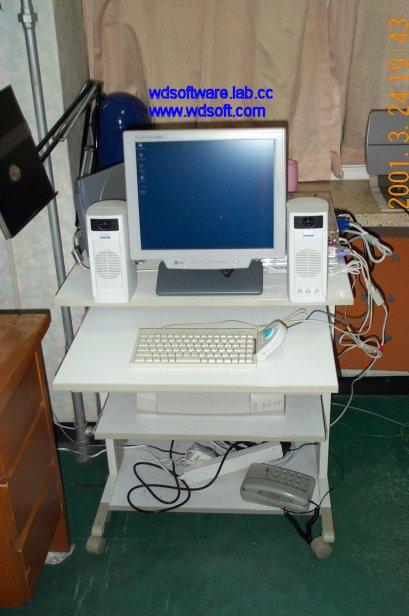
The whole desk used to be occupied by the 17 inch monitor and a mid-tower case, with barely enough room for the speakers. But now, the speakers find its place easily and there's plenty of room even after placing a scanner and a cellphone charger.

Making of the Portable Athlon (8/10)


Up to now, you've seen the phase 1 of the system. Had I went on to show you up to this, this article would've ended here and be released much earlier. However, it would have the shortcoming of requiring a separate monitor to use the system, which would negate the purpose of this WDS-APX-0 somewhat, despite the fact that the system does already fit in a school bag. Thus I waited for a month after the completion of the phase 1 to make enough money for buying a dedicated monitor for the system. It had to be, of course, one of those costly LCD flat panel.
WDS-APX-0 with the Flat Panel Back View of WDS-APX-0 with the Flat Panel
Another picture can be found here. It's pretty evident that the two things go nicely together. You might notice another flat thing on the back, which is a slim scanner from Canon that is meant to be carried with the system when necessary. Speaking of the scanner, I also bought a RICOH burner with 12x10x32x8DVD capability with it, but it's not pictured here. This can be attached via 'extension cables' that comes out from the side of the case, which you might have noticed from the case pictures. I could have opted for a USB burner, but the current mainstream standard, USB 1.1, is bandwidth limited, so the drive that gets attached to it will show lackluster speed(USB burners top at around 4x burning). I also needed DVD capability like the old system I had, so the RICOH drive was perfect.

One problem, though. I cannot carry this panel with its base that huge and must be done away with. (Suppressing a bad All Your Base Are Belong To Us joke here....) But I can't have the flat panel hang along freely as if it was a tablet, either. What would have to be done?

Copyright (C) 1996-2026 Woo-Duk Chung (Wesley Woo-Duk Hwang-Chung). All rights reserved.