Readying indoor running, with help from Wii Fit Plus
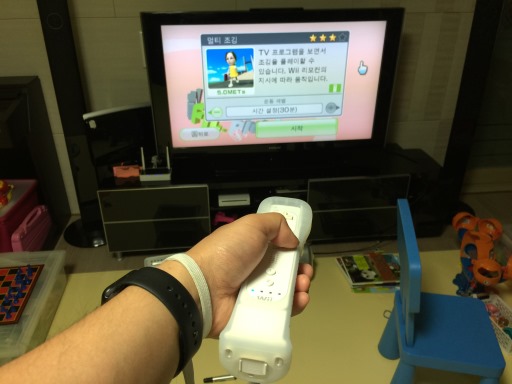
I had a Wii game console for about six years, and I used to use Wii Fit a lot to stay in shape. Then I bought the Wii Fit Plus upgrade a few months ago. One of the exercises I could do on it was indoor running - I could have the controller in my pocket and run in one spot, and it would record the distance and calories burned.
Since Apple Watch's default Workout app also had an indoor running mode, I thought it would be a great idea to get both technologies to record a run and see the differences. Also, I was severely lacking in the yellow exercise ring's progress that day, so I needed the run anyway. I set both to a 30-minute session and started out simultaneously.
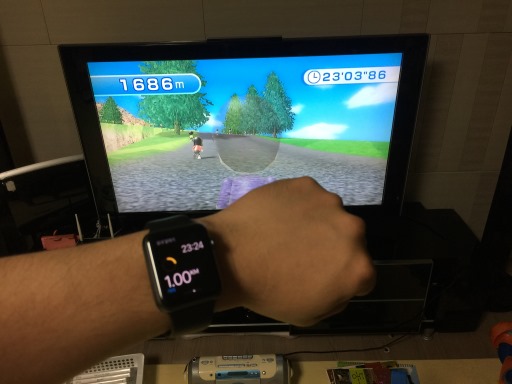
On distance estimate, Wii Fit Plus outpaces Apple Watch
A short while later, I discovered that the distance measurement was getting significantly different. By the time Apple Watch recorded 1km around 7-minute mark, Wii Fit Plus was already at about 1.7km. Working out the math, this came to about 14.5km/h, which seemed too fast for me.
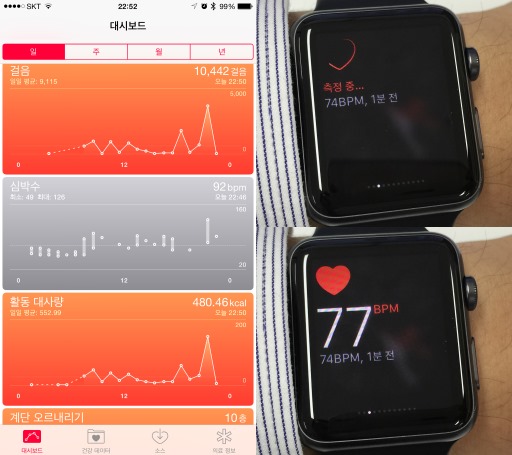
Apple Watch constantly logs you - Steps, Heart Rate, & Active Calories
One of the key selling points of the Apple Watch is that it acts as a fitness tracker. Indeed, it knows how much you moved around, what your heart rate is throughout the day, and how many active calories were consumed as a result. These data are all collected on the Health app on the paired iPhone.
While the watch is supposed to automatically check your heart rate every ten minutes, you can manually check using the heart rate "Glance" that you pull up from the main watch screen. This manual checking, which generates about four to five data points while the screen is active, is also logged.
I should note that the Apple Watch OS 1.0.1 update seems to have messed up the automatic checking a bit. Sometimes the measurements for a certain period are not sent and lost; at times the watch simply forgets to take measurements for several tens of minutes at a time. The worst case I've seen was having about 4 hours' worth of log missing, although this is rare and usually it's 1 to 2 hours at most. The problem isn't unique to me and it seems that Apple knows of the problem, so I hope it's fixed in the next update.
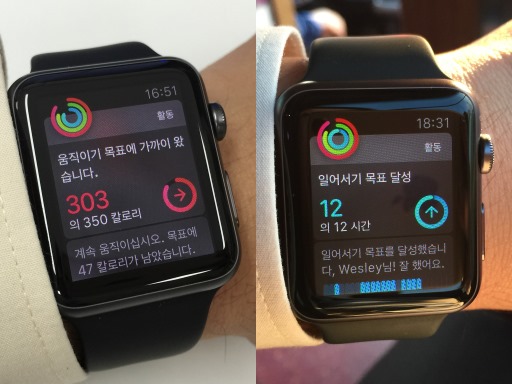
Apple Watch tells you the daily fitness progress, including Move (left) and Stand (right)
Apple Watch's way of tracking, notifying, and displaying fitness data is through three rings - Move (red), Exercise (yellow), and Stand (blue). You set your daily goals for each of the rings and the progress is shown by how much complete the rings are. It's simple yet clear.
By default, the watch tells you how you're doing every four hours, or when one of the goals are met. As for the Stand, it'll tell you to get up and walk around for about a minute at the 50th minute of the hour if it sees that you didn't move much at all for the hour. If you decide to closely follow the Apple Watch's motivation and suggestions, getting the ring filled up is relatively easy and probably makes you a bit healthier, too. I'm personally getting to move around and exercise more as a result.