For the past few weeks, clouds and rain due to the monsoon prevented me from seeing a clear sky at night. But that period is nearing its end, and last night I had a near-perfect opportunity - no clouds and no haze. Brightness of the first-quarter Moon was about the only fly in the ointment.
As I was only able to observe the southern sky out the window of my room, I consulted a star chart to see if anything interesting was there to see. Pluto immediately caught my eyes. As you might know, this dwarf planet is making headlines at the time of this writing because the New Horizons probe made a flyby two weeks ago. The unprecedented details of the images from the probe is capturing public interest, and mine. So I wondered if I could see a glimpse of it with my own telescope.
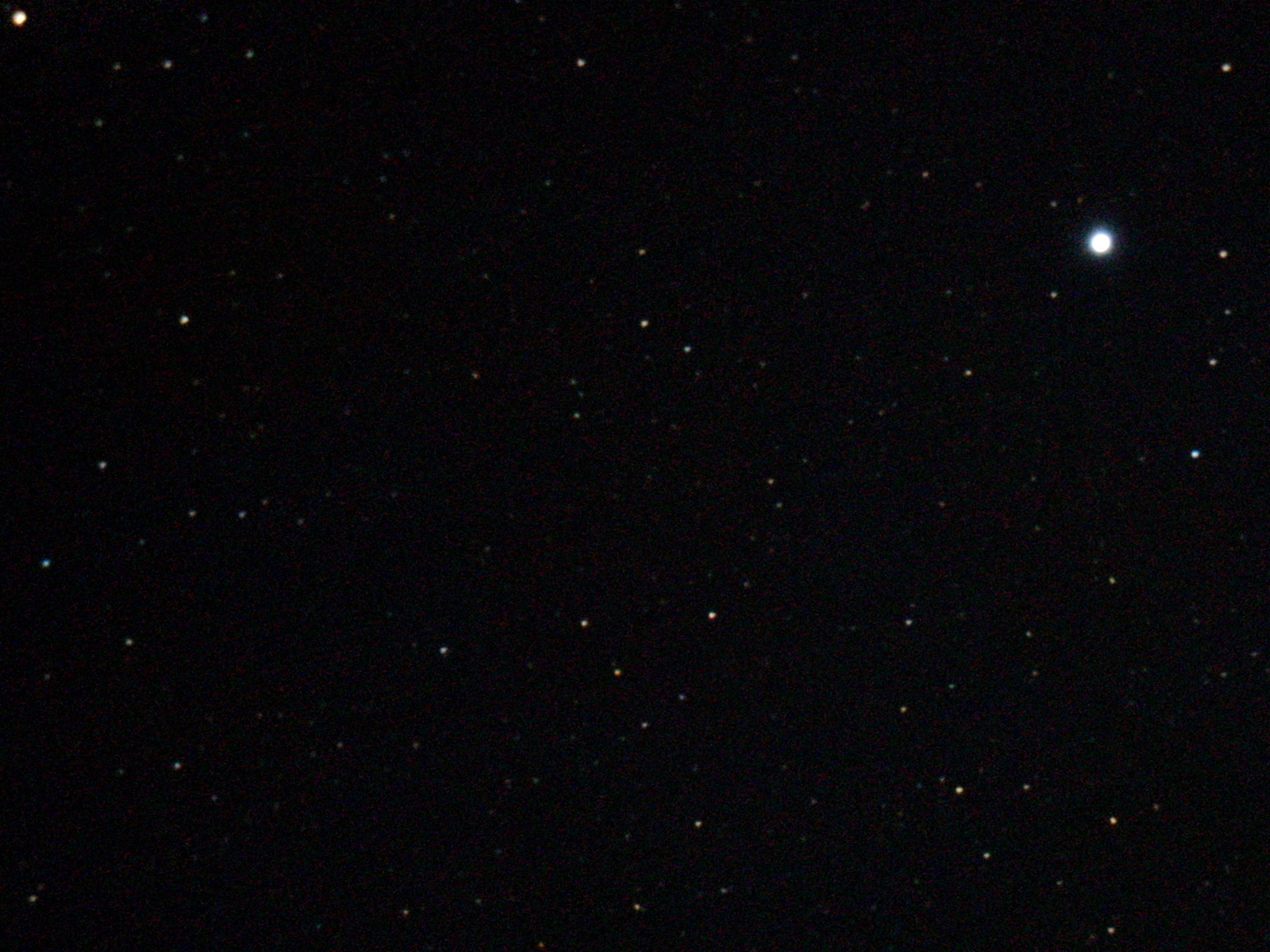
Problem is, Pluto is very faint - 14.1-magnitude right now. Based on my past observations, it would be at or just outside my limits even with astrophotography. Sure enough, when I pointed my telescope to the right position, I couldn't make it out visually. So I attached my DSLR camera and took several long-exposure photos in hoping that they'd be more revealing. One of such result is the photo you see above. The brightest star is ξ1(Xi 1) Sagittarii, a 5.1-magnitude star. Most of the rest are fainter than 10-magnitude.
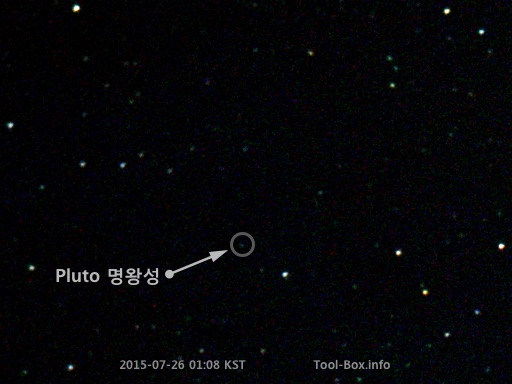
Pluto found - it was 2/3 from the top and 1/3 from the left
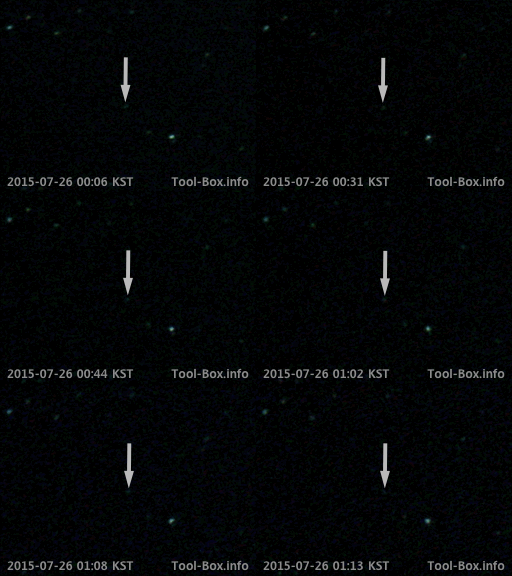
After carefully comparing the photo with a detailed star chart, I finally found a dot that didn't belong to a star. This seemed to be Pluto that I was looking for. But to make sure, I compared all the photos I took over the span of about an hour and looked to see if there was any movement - a telltale sign that it's not a star, but an object moving around the solar system.
Movement of Pluto animated
Indeed there was. This was the dwarf planet I was looking for. This process of comparison was basically how Pluto was identified and discovered in the first place back in 1930, so it was pretty satisfying to retrace the steps. I'm also glad to know that the southern sky at Naju is still dark enough to see this faraway world.
Telescope: Celestron NexStar 6SE
Device: Canon EOS 450D (prime focus)
Settings: (1500mm) - ISO 1600 - 30s - (f/10)
Filters: None
Time: 2015-07-26 00:06 - 01:13 KST
Location: Naju, Korea
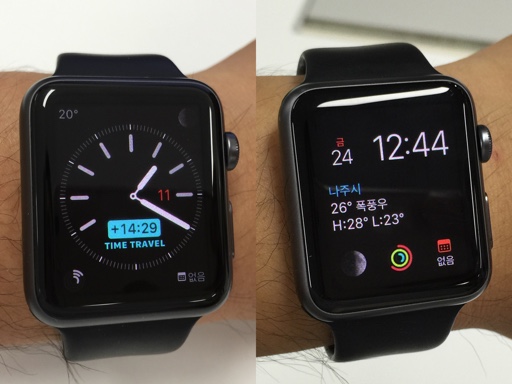
Apple Watch's "Simple" (left) and "Modular" (right) faces
After I installed watchOS 2 beta 4 when it came out on July 22, 2015 (July 21 at Apple HQ), my Apple Watch felt more sluggish than usual. Even the terrible beta 1 wasn't like this. What's worse, the watch froze up after a few hours. I noticed that it'd never last more than 4 hours at a time, requiring a forced restart (pressing side button and digital crown together for 10 seconds) to get it working again.
I tried resetting and restoring, then resetting and setting up the device as new. Neither fixed the issue. Somehow, this beta was unusable on my watch. If this problem was happening to everyone, I would've heard about it and Apple would be pulling the beta, but this wasn't the case. Most people were actually saying it worked better than previous betas, which baffled me. Then I eventually found someone else having the same problem.
It turns out, having the watch face set to "Simple" was the culprit. Using another watch face ("Modular" was recommended) supposedly solved the problem. So I changed the face to Modular and indeed the problem went away. I had been using the Simple face for nearly 3 months, so I never thought of changing it to anything else. Who knew a bug in the beta would force me to do otherwise?
Using Simple face on beta 4 had serious impact on battery life as well - about as bad as the infamous beta 1. Also, it kept consuming battery while the device froze up, too. I went to sleep with the fully charged watch, only to find out that it froze up about two hours in, and had 37% of charge left after 5 hours when I woke up. So I'm guessing the watch face steadily hogged system resources until everything else became inoperable, but kept going.
So if any of the developers with watchOS 2 beta 4 are experiencing lock ups and slow performance, avoid Simple watch face and switch to something different before resetting your watch.