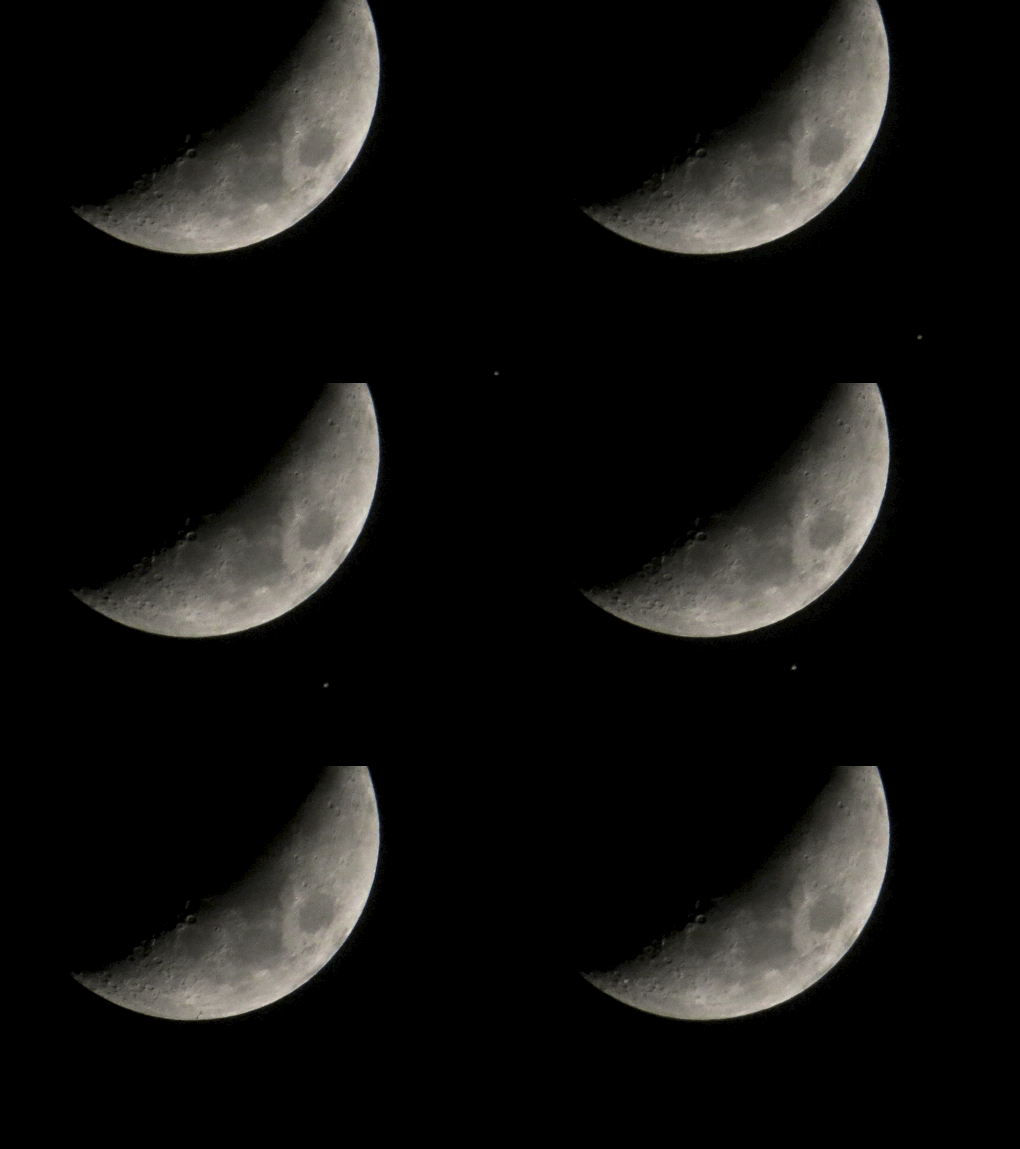
Solar panels of the ISS become visible against the backdrop of the Moon
Yesterday evening presented a rare opportunity of viewing the sun-lit ISS whizzing by the Moon from where I live. Luckily, the weather cooperated and the sky was mostly clear of clouds. I initially set up a telescope to see it, but the apartment window was too limited for it to calibrate in time, so I fell back to using my SX50 HS's zoom capability instead.
A few minutes before the crossing, the space station started to appear on the western sky. So I told my daughter Celine to come over and see the phenomenon together; we watched it gracefully travel eastward. When I saw that the ISS was about to transit the Moon, I let the burst mode of the camera snap 10 photos in rapid succession at 13fps. Then, we kept watching the ISS until it disappeared into the eastern sky.
Checking the photos, I noticed that the dot the ISS was supposed to be was smaller than what was expected according to CalSky, which predicted the transit. Then I looked at the first photo where the Moon got behind the ISS, which showed a "shadow" much longer than the dot. This is when I realized that the dot was the central area of the space station and the shadow was its solar panels. The size mystery was solved.
For those of you who would like to see a full resolution composite of the ISS-Moon transit, [click here] to load the image. It's a bit sad I can't adjust the ISO setting while shooting in burst mode with the camera - I would've like to have it lowered for less coarse images.