SpaceRail Level 2

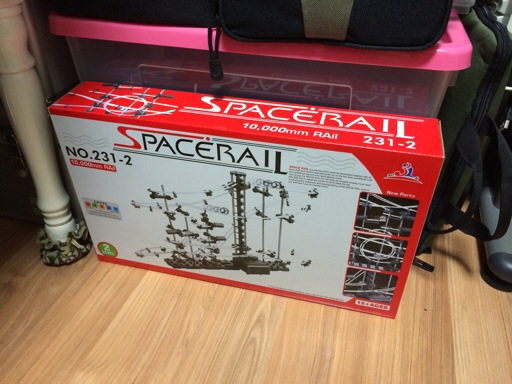
A box of SpaceRail Level 2

Balls running around elaborate loops of rails in museums are quite a sight to see. So why not bring it home? Hence the SpaceRail steel ball roller coaster kit, which is a knock-off of Spacewarp. I got the Level 2 one from a community-driven discount purchase at a price of about US$23. The box said this was a beginner-level kit that's supposed to take up to 2 hours to build. That was rather optimistic, as it turned out.

Read on for the photos of the build process.
Continue reading "SpaceRail Level 2"

Recreating Elsa's crown from "Frozen"

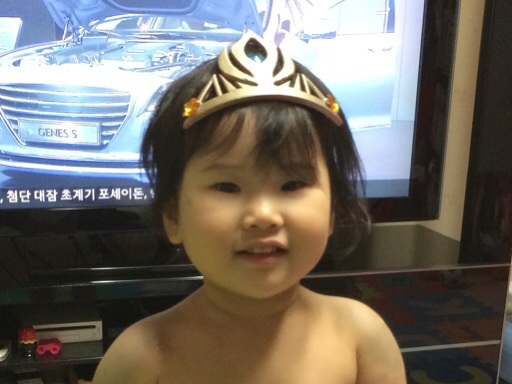
Hayun wears the completed Elsa's crown

It's safe to say at this point that Disney's feature-length animation "Frozen" is a big success. Even my daughters have become big fans - watching both the subtitled and dubbed versions, reading the story book, memorizing the theme song "Let It Go", and so on. So when I was looking around for something to print in 3D, a version of Elsa's tiara crown immediataly caught my eyes. Although short-lived, this was one of the most memorable items in the movie.

Unlike most of the 3D-printed objects I made so far, the printing was only the first step for making the crown. It would have to be worn on the head, needing more work. To find out how it went, read on.
Continue reading "Recreating Elsa's crown from "Frozen""

KPX coin - designed and 3D printed

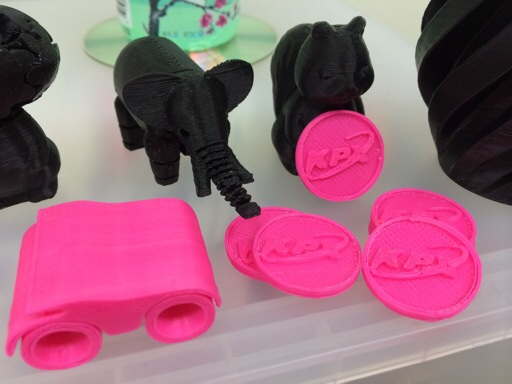
Toys welcome the new KPX coins

I've been downloading and 3D printing a lot of interesting stuff so far. But eventually, I had to tackle the art of using a 3D modeling program to create custom designs. For my first attempt, I decided to make a coin with a logo on its face. Specifically, the logo was that of KPX, which is where I work. As far as I am aware, the company never issued a commemorative coin before, so it seemed to be a good choice.

A few weeks ago, I had installed Autodesk's 123D Design software to make 3D models. I was originally thinking of TinkerCAD, but that had been bought by Autodesk, so I thought I might as well just use Autodesk's original software. Apart from being slow to load on my Mac, it was thankfully not too difficult to make some shapes and move things around.

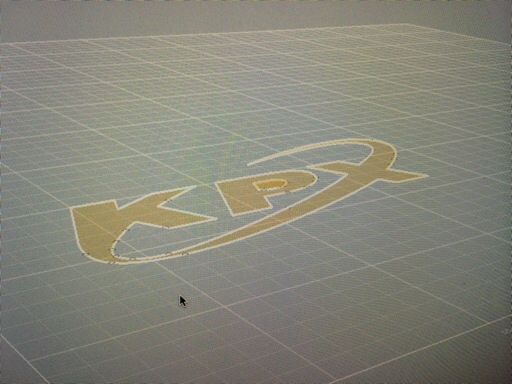
Hand-laid line art depicting the KPX logo

After a couple of practice, I started drawing the KPX logo. Sadly, there wasn't a way of importing an image file to trace over. As a workaround, I put a grid over an image of the logo and drew the lines as closely resembling as possible on the grid within 123D Design. It came out fairly well.
Continue reading "KPX coin - designed and 3D printed"

Copyright (C) 1996-2026 Woo-Duk Chung (Wesley Woo-Duk Hwang-Chung). All rights reserved.