Watching someone catch a home run ball

It was like picnic at the outfield stand of this baseball stadium

On May 30, 2015, my family went to see an NC vs. KIA baseball game at Gwangju KIA Champions Field with some other families I knew of. Half of the outfield stand was covered in grass, so it was like having picnic with a baseball game in view. There was even a sandbox for the kids to play in next to it. I felt that the whole set up was great.

The home run ball
During the bottom of the 2nd inning, which was about 40 minutes into the game that started on 5 PM, Lee Hong-Gu, a batter for KIA, hit a two-run home run to the center of the field. We saw that the ball was heading right towards the sandbox next to us. One of the guys in our group hurried towards it, and successfully fished out the home run ball out of the protective net.

That was the first time I've been able to see someone catch one in the action up close. Also, we got to hold the ball and take some pictures ourselves for fun, as well. It was the next best thing to catching the ball in person. This home run let KIA pull ahead of NC with a score of 1:3. But later in the game NC managed a grand slam that resulted in an upset. NC eventually won the game 11:6. That was all well and good because I'm an NC fan.

The whole family briefly captured in tiny pixels at the moment of home run

After the game, I wondered if we were caught on the broadcast and carefully pored over the highlights. This video in particular contained the scene with the home run in question: [Media Daum Sports]

Full video frame
Because we weren't directly in the line of sight and the camera didn't dwell on the scene after confirming the home run, I wasn't initially sure if we were caught in the camera at all. Then I did a frame-by-frame analysis. Eventually I found my family sitting at the far left end of the scene. I've put some arrows to make it more obvious, but you can also compare this to the first picture in this post as a reference. All in all, it was an experience to remember.

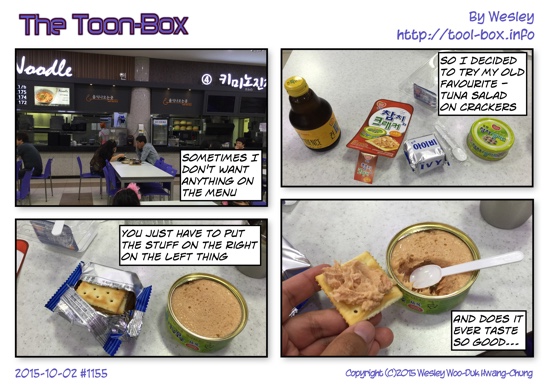
Today's "The Toon-Box"

Defined tags for this entry: , ,

Battery life of the Apple Watch

Apple Watch gives warning at 10% (left) and enters Power Reserve near 0% (right)

With some of the smart watches or bands lasting a few days to a week, Apple Watch's claim of an 18-hour use for a typical day in case of the 38mm version was viewed as being too short and even the worries about the device not lasting a full day came about. Apple did claim that the 42mm version had a larger battery and would last somewhat longer. With all these in mind, I decided to log the daily battery status of my 42mm Apple Watch Sport for the past three weeks.

So how was it? First of all, Apple Watch doesn't say anything outright about its battery status unless it drops to 10%, at which it displays the warning you see above. (You could check the exact amount of battery left from one of the Glances whenever you want, by the way.) Personally, it was rare for me to even encounter this message at the end of a normal day, as you'll see later. So that alone tells you that the device is good enough for a full-day use. If you do get to see the warning, you could choose to enter the Power Reserve mode or ignore.

Power Reserve mode shuts down every function except the the time-telling ability like you see above so that it'll function as a watch as long as possible. When the battery does go near 0% (I think it happened around 2% remaining), it'll automatically enter this mode anyway. It's a last ditch effort to maintain its identity until you're able to charge it back to its normal life, so it'll be good if it could be avoided as much as possible.

3-week graph of Apple Watch usage time

This graph shows the result of the three-week use, which included all sorts of different usage patterns. Some involved heavy testing; some days I was traveling overseas; and some days I wasn't doing much but mostly sit around the office. All these were boiled down to these coloured bars - green bar represents the actual use time for the day, and the violet bar is the estimated time left until the battery runs out based on the remaining battery percentage noted on the far right.

On average, I got 22 hours and 12 minutes of use per day, with 6 hours and 17 minutes of use left, or about 22%. At no time did the combined time dip below 18 hours. These all clearly indicate that the 42mm version can last one full day of use. And if you forgot to recharge before going into sleep, you still have a good chance that it'll at least last the morning until you can get a two-hour charging session then.

What's also clear is that it will not realistically last full two days unless you use it really sparingly, so you need to get used to a daily recharging routine. Personally, I try to recharge about two hours before bedtime and get into sleep with a fully charged watch. I'm fine with this, but for those wanting to minimize the gap as much as possible, it might be disappointing.
Continue reading "Battery life of the Apple Watch"

Apple Watch as an extension, stand-in

Loading membership card barcode via Stocard

As a smart device that's nearly always on your body, it has the potential to extend or replace existing things better than a smartphone, lessening the need to pull out or find the bulkier device to do the same thing. As I've moved to a fairly large smartphone - iPhone 6 Plus - this is something to look forward to.

One of those things I thought up was the flurry of membership cards that once occupied the wallet. Most of them now sit in a barcode form inside my iPhone, making the wallet considerably thinner. But now those could be moved to the Apple Watch, and I could just pull up my wrist to accrue reward points instead of reaching for my phone.

Because the Passbook app only sent QR codes to the watch, I looked around the Apple Watch App Store and found a couple of apps that can put the card number and the barcode on both types of devices. Eventually, I settled with Stocard, as you can see above. The cards stored on the iPhone app are automatically sync'ed to the Apple Watch app, enabling you to display the wanted barcode from either of the devices. Or, at least that was the idea.

Barcode reader picks up from the tiny Apple Watch screen

As I loaded up the card data, I noticed that the barcodes were fairly small. It was only about 20.5mm (0.81") wide on my 42mm Apple Watch, which is even smaller than the UPC barcodes found on a product. I wondered if this would be scanned at all.

As a field test, I tried out on two of the biggest hypermarket franchises in Korea: Lotte Mart and Emart. To my surprise, the barcode readers at the stores were able to pick up the numbers without a problem as long as the reader was held close to the watch. The high-density 326ppi display may have helped this.

It's not all completely convenient at this point, though. Because the Apple Watch app has to rely on the iPhone to provide the data due to current SDK limitations, loading speed is slow with my 24-card collection. I have to load the app and make sure the barcode is up before going to the cashier. Hopefully, this will be resolved with the SDK updates later this year.
Continue reading "Apple Watch as an extension, stand-in"

Today's "The Toon-Box"

Defined tags for this entry: , , ,

Copyright (C) 1996-2026 Woo-Duk Chung (Wesley Woo-Duk Hwang-Chung). All rights reserved.